Asfaload Documentation
Welcome to the Asfaload documentation. Asfaload is a multi-signature sign-off solution that is:
- open source
- auditable as it is using a public git repo as storage
- self-hostable
- accountless, the keypair is the identity
Asfaload provides tools for signing and verifying software release artifacts. The Client CLI documentation explains how to use our command line utility to interact with the backend. The REST API details the endpoints of the backend server.
Sections
Client CLI — How-to Guides
Step-by-step recipes for common operations: generating keys, creating signers files, registering releases, signing, and verification.
Client CLI — Manual
Reference for all client commands: options, environment variables, output formats, and exit codes.
REST API — Manual
Reference for the Asfaload REST API: endpoints, request/response formats, and error codes.
How-to guides
Step-by-step recipes for common operations with the asfaload-cli CLI. Follow them in order for a first-time setup, or jump to the one you need.
Setup
Project registration
Releases
Maintenance
Verification
Generate a key pair
Every signer needs their own key pair. This guide walks you through creating one.
Prerequisites
- The
asfaload-clibinary is installed and in yourPATH.
Steps
1. Choose a directory
Pick a directory to store your keys. A common convention is ~/.asfaload/:
mkdir -p ~/.asfaload
2. Generate the key pair
asfaload-cli new-keys --name mykey --output-dir ~/.asfaload
You’ll be prompted for a password to protect the secret key. Pick a strong one — this password is required every time you sign.
This creates two files:
| File | Purpose |
|---|---|
~/.asfaload/mykey | Secret key (keep this safe) |
~/.asfaload/mykey.pub | Public key (share with your team) |

3. Verify the output
ls ~/.asfaload/mykey*
You should see both mykey and mykey.pub.
Non-interactive usage
For CI or scripting, pass the password directly:
asfaload-cli new-keys --name ci-key --output-dir ./keys --password "$KEY_PASSWORD"
Or read the password from a file with --password-file (-P):
asfaload-cli new-keys --name ci-key --output-dir ./keys --password-file /run/secrets/key-password
The file should contain the password on a single line. Trailing newlines are stripped.
Or fetch the password from a password manager (or any external command) with --password-command (-c). The command’s standard output is used as the password:
asfaload-cli new-keys --name ci-key --output-dir ./keys \
    --password-command "pass show asfaload/ci-key"
The command string is parsed with shell-style quoting, but no shell is spawned — pipes and redirections don’t apply. Trailing newlines are stripped from the command’s output.
Both --password and --password-file are also available as environment variables:
export ASFALOAD_NEW_KEYS_PASSWORD="$KEY_PASSWORD"
asfaload-cli new-keys --name ci-key --output-dir ./keys
export ASFALOAD_NEW_KEYS_PASSWORD_FILE="/run/secrets/key-password"
asfaload-cli new-keys --name ci-key --output-dir ./keys
Next step
Share your .pub file with whoever maintains the signers file, it is not secret. They’ll include it when creating the signers file.
Reference
Create a signers file
A signers file defines who can sign artifacts for your project, and how many signatures are needed (the threshold). You create it once, commit it to your repository, then register it with the backend.
Prerequisites
- Public key files (
.pub) for every signer. See Generate a key pair. - A target repository where the signers file will live.
Steps
1. Collect the public keys
Gather .pub files from all signers. For this example, three artifact signers with a threshold of 2 (any two out of three must sign):
alice.pub
bob.pub
carol.pub
2. Create the signers file
asfaload-cli new-signers-file \
    --artifact-signer-file alice.pub \
    --artifact-signer-file bob.pub \
    --artifact-signer-file carol.pub \
    --artifact-threshold 2 \
    --output-file signers.json
The command prints a summary:
Signers file created successfully at: "signers.json"
Artifact signers: 3 (threshold: 2)
Admin keys: 0 (threshold: none)
Master keys: 0 (threshold: none)

3. Commit and push
Place the signers file in your repository and push it.
We advise to commit the file in your main branch (eg under a directory .asfaload.signers) or in a dedicated branch of the repo.
You can choose any naming convention that suits you, as long as the file stays
available at the URL, so that downloaders can confirm its validity.
You could choose to place it in your main branch:
https://github.com/acme/tool/blob/main/asfaload.signers/index.json
or in a dedicated branch (in this example signers):
https://github.com/acme/tool/blob/signers/20260413_signers.json
If you publish an updated signers file, you must make it available at distinct URL. In other words, you must add a new file to your repo, and you must not edit an existing signers file.
The backend needs to fetch it by URL during repository registration.
A common location is at the root of your repo:
cp signers.json my-project/asfaload.signers/index.json
cd my-project
git add asfaload.signers/index.json
git commit -m "Add asfaload signers file"
git push
Adding optional key groups
Beyond artifact signers, you can define admin, master, and revocation key groups. Each group has its own keys and threshold.
With revocation keys
Revocation keys can revoke signed releases. Useful to have a separate set of keys for emergency access:
asfaload-cli new-signers-file \
    --artifact-signer-file alice.pub \
    --artifact-signer-file bob.pub \
    --artifact-signer-file carol.pub \
    --artifact-threshold 2 \
    --revocation-key-file revoke1.pub \
    --revocation-key-file revoke2.pub \
    --revocation-key-file revoke3.pub \
    --revocation-threshold 2 \
    --output-file signers.json
With admin keys
Admin keys can propose signers file updates:
asfaload-cli new-signers-file \
    --artifact-signer-file alice.pub \
    --artifact-signer-file bob.pub \
    --artifact-threshold 2 \
    --admin-key-file admin.pub \
    --admin-threshold 1 \
    --output-file signers.json
Mixing base64 strings and files
You can pass public keys as base64 strings instead of files. This is handy when keys come from a secrets manager:
asfaload-cli new-signers-file \
    --artifact-signer "asfaload-pub:b5S+CxuqICIUn/DGBdMKeTMZCgQcg78ohiWQ1sC00c8" \
    --artifact-signer-file bob.pub \
    --artifact-threshold 1 \
    --output-file signers.json
Next step
Register the repository with the backend so it knows where to find your signers file.
Reference
Register a repository
Registering a repository tells the backend where your signers file lives. Once registered, the backend can enforce signature requirements for your project.
Prerequisites
- A signers file committed and pushed to your repository. See Create a signers file.
- Your secret key file. See Generate a key pair.
- The backend is running and reachable.
Steps
1. Get the signers file URL
You need the public URL that points to your signers file on the forge. For GitHub, you can simply copy the URL from your browser when displaying the file of your repo. This will give you an URL of this form:
https://github.com/acme/tool/blob/main/asfaload.signers/index.json
2. Register the repository
asfaload-cli register-repo \
    --secret-key ~/.asfaload/mykey \
    https://github.com/acme/tool/blob/main/asfaload.signers/index.json
On success:
Repository registered successfully!
Project ID: abc123
Required signers (3): alice, bob, carol
Next step: signers must submit signatures to activate the project.
The backend fetches the signers file, creates a pending signers entry, and waits for all listed signers to sign before the project becomes active.

3. Point to a non-default backend
If your backend is not Asfaload’s:
asfaload-cli register-repo \
    --secret-key ~/.asfaload/mykey \
    -u https://my-asfaload-deployment.example.com \
    https://github.com/acme/tool/blob/main/asfaload.signers/index.json
What happens next
After registration, the signers file is in a pending state. Every signer listed in it must sign before the project is activated. See Activate a signers file.
Reference
Activate a signers file
After a repository is registered (or a signers file is updated), the signers file sits in a pending state. Every signer listed in it must sign before the project becomes active. This guide covers the signing round.
Prerequisites
- A repository has been registered or a signers file update proposed.
- Each signer has their own secret key. See Generate a key pair.
Steps
Each signer performs steps 1–2 independently.
1. Check for pending work
asfaload-cli list-pending --secret-key ~/.asfaload/mykey
If the signers file is waiting for your signature, you’ll see:
Files requiring your signature:
  - https/github.com/443/acme/tool/asfaload.signers.pending/index.json
If nothing is pending for you, the output says No pending signatures found.
2. Sign the pending signers file
Copy the path from the output above and pass it to sign-pending:
asfaload-cli sign-pending --secret-key ~/.asfaload/mykey \
    https/github.com/443/acme/tool/asfaload.signers.pending/index.json
If more signatures are needed:
Success! Signature submitted
When your signature completes the required count (every signer must sign for an initial signers file):
Success! Signature submitted (complete)

3. Verify activation
Once every signer has signed, the signers file moves from pending to active. There is no separate activation step — the last signature triggers it automatically.
Coordinating signers
Signers don’t need to sign in any particular order. The workflow looks like:
alice: asfaload-cli list-pending --secret-key alice.key    → sees pending signers
alice: asfaload-cli sign-pending --secret-key alice.key ...  → "submitted"

bob:   asfaload-cli list-pending --secret-key bob.key      → sees pending signers
bob:   asfaload-cli sign-pending --secret-key bob.key ...    → "submitted"

carol: asfaload-cli list-pending --secret-key carol.key    → sees pending signers
carol: asfaload-cli sign-pending --secret-key carol.key ...  → "submitted (complete)"
Scripting the sign step
For CI, supply the password non-interactively:
asfaload-cli sign-pending \
    --secret-key ~/.asfaload/mykey \
    --password-file "/path/to/password-file" \
    https/github.com/443/acme/tool/asfaload.signers.pending/index.json
Troubleshooting
“Already completed” error when signing — someone else already provided the final signature. The signers file is active; no action needed.
list-pending returns empty — either your key is not listed in the signers file, or the file has already been fully signed.
Next step
Once the signers file is active, you can register a release for signing.
Reference
Register a release
Once your project’s signers file is active, you can register releases for signing. The backend will index the release assets and start a signature collection round.
Prerequisites
- The repository is registered and the signers file is activated.
- The release is published on the forge (e.g., a GitHub release page exists).
- Your secret key file. See Generate a key pair.
Register a GitHub release
Pass the release page URL:
asfaload-cli register-assets \
    --secret-key ~/.asfaload/mykey \
    --github-release-url https://github.com/acme/tool/releases/tag/v1.0
On success:
Assets registered successfully! Remember you still need to sign it yourself!
Index file path: https/github.com/443/acme/tool/releases/tag/v1.0/asfaload.index.json
The backend fetches the release, creates an index of the assets, and waits for signatures.

Register a release from other hoster [EXPERIMENTAL]
Github is currently the only forge publishing digests of the releases’ artifacts. If you publish releases on other forges or an http file server, your release needs to
publish a checksums file (using sha256sum or sha512sum). It is that checksums file that you will register with Asfaload.
asfaload-cli register-assets \
    --secret-key ~/.asfaload/mykey \
    --csum-file https://example.com/releases/v1.0/SHA256SUMS \
    --csum-file https://example.com/releases/v1.0/SHA512SUMS
All checksum file URLs must share a common parent path. --csum-file is repeatable; --github-release-url and --csum-file are mutually exclusive.
Re-registration
Registering the same release twice fails — the backend rejects duplicates. Existing signatures are preserved; there’s no risk of losing progress.
What happens next
You registered the release, but you haven’t signed it yet. The backend is now waiting for enough signatures to meet the threshold. See Sign a release.
Reference
Sign a release
After a release is registered, artifact signers must provide enough signatures to meet the threshold defined in the signers file. This is the same list-pending / sign-pending flow used for activating a signers file, but applied to a release index.
Prerequisites
- A release has been registered.
- Your key is listed as an artifact signer in the active signers file.
Steps
1. List pending files
asfaload-cli list-pending --secret-key ~/.asfaload/mykey
Files requiring your signature:
  - https/github.com/443/acme/tool/releases/tag/v1.0/asfaload.index.json
2. Sign the release index
asfaload-cli sign-pending --secret-key ~/.asfaload/mykey \
    https/github.com/443/acme/tool/releases/tag/v1.0/asfaload.index.json
The command fetches all files associated with the release, hashes each one, signs the hashes, and submits everything in a single request.
If more signatures are needed:
Success! Signature submitted
When the threshold is met:
Success! Signature submitted (complete)

3. Check progress
At any point, you can check whether the threshold has been reached:
asfaload-cli signature-status --secret-key ~/.asfaload/mykey \
    https/github.com/443/acme/tool/releases/tag/v1.0/asfaload.index.json
https/github.com/443/acme/tool/releases/tag/v1.0/asfaload.index.json: pending
or
https/github.com/443/acme/tool/releases/tag/v1.0/asfaload.index.json: complete
Example: two-of-three threshold
With three artifact signers and a threshold of 2, only two need to sign:
alice: asfaload-cli sign-pending --secret-key alice.key ...  → "submitted"
bob:   asfaload-cli sign-pending --secret-key bob.key ...    → "submitted (complete)"
# carol doesn't need to sign — threshold already met
Next step
Once the release is fully signed, users can download it with verification.
Reference
Update a signers file
Need to add a signer, remove one, or change the threshold? This guide covers proposing and activating a signers file update.
Prerequisites
- The repository is already registered and the current signers file is active.
- A new signers file has been created (see Create a signers file), committed, and pushed to the forge.
- Your secret key file. See Generate a key pair.
Steps
1. Create and push the new signers file
Generate a new signers file with the updated set of keys and thresholds:
asfaload-cli new-signers-file \
    --artifact-signer-file alice.pub \
    --artifact-signer-file bob.pub \
    --artifact-signer-file carol.pub \
    --artifact-signer-file dave.pub \
    --artifact-threshold 3 \
    --revocation-key-file revoke1.pub \
    --revocation-key-file revoke2.pub \
    --revocation-key-file revoke3.pub \
    --revocation-threshold 2 \
    --output-file signers_v2.json
Commit and push it to your repository so the backend can fetch it by URL. We advise to commit the file either in your main branch, or in a dedicated branch in which you save all signers files updates.
2. Propose the update
asfaload-cli update-signers \
    --secret-key ~/.asfaload/mykey \
    https://github.com/acme/tool/blob/main/asfaload.signers/index.json
On success:
Signers update proposed successfully!
Project ID: abc123
Required signers (4): alice, bob, carol, dave
Next step: signers must submit signatures to activate the update.

3. All signers must sign
Just like initial activation, every signer listed in the new signers file must sign before the update takes effect. This includes both existing and newly added signers.
Each signer runs:
asfaload-cli list-pending --secret-key ~/.asfaload/mykey
asfaload-cli sign-pending --secret-key ~/.asfaload/mykey \
    https/github.com/443/acme/tool/asfaload.signers.pending/index.json
See Activate a signers file for the full signing flow.
What about existing releases?
Releases signed under the previous signers file remain valid. The backend keeps a signers chain history, so older releases can still be verified against the signers file that was active when they were signed.
Reference
Revoke a signed release
If a release needs to be recalled — a vulnerability was found, or the wrong artifacts were published — you can revoke it. Revoked files can no longer be downloaded with verification.
Prerequisites
- The release is fully signed and active on the backend.
- Your key is listed as a revocation key in the active signers file. Artifact signers without revocation privileges cannot revoke.
- The signers file has a revocation group with a threshold. See Create a signers file.
Steps
1. Initiate the revocation
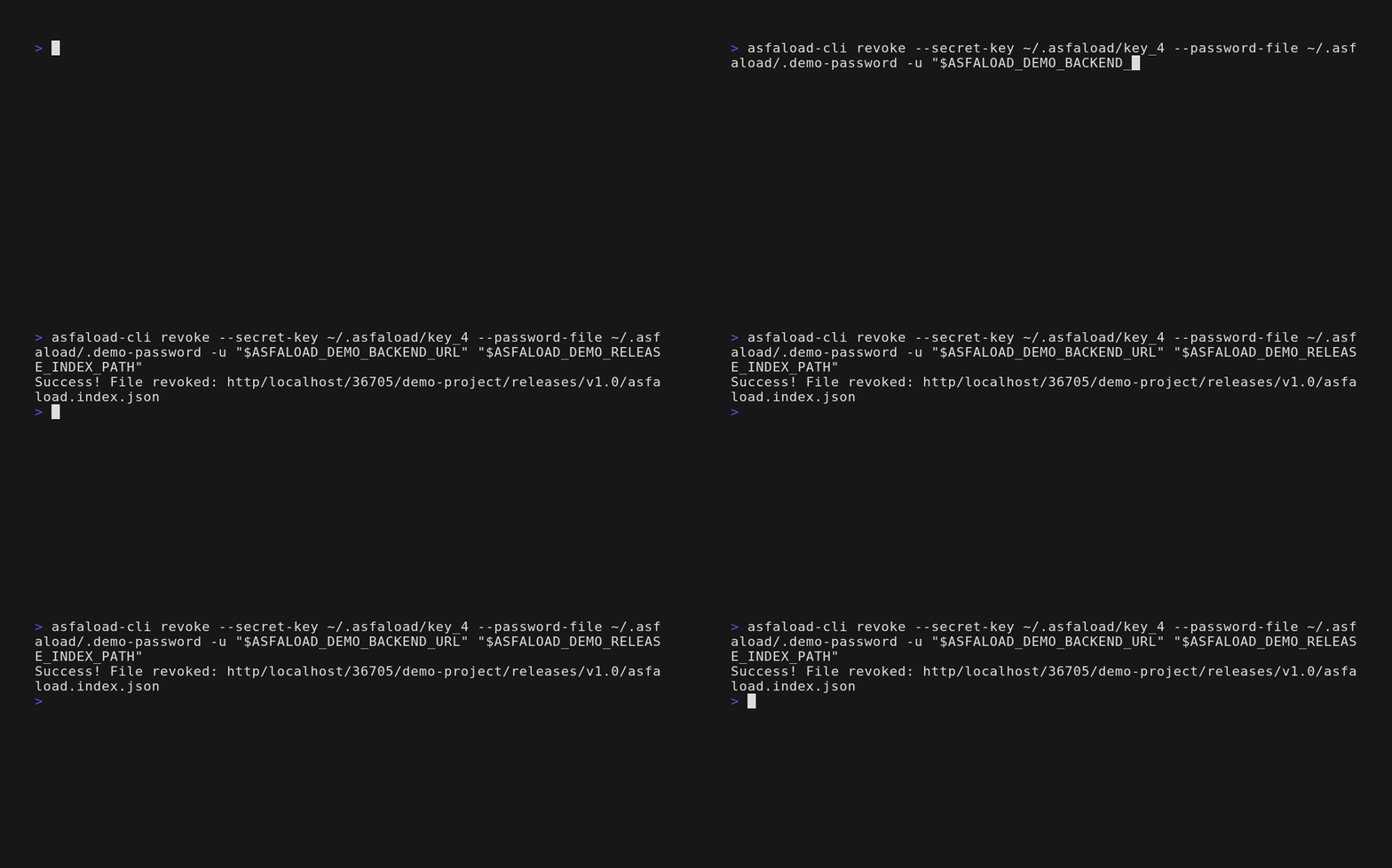
asfaload-cli revoke \
    --secret-key ~/.asfaload/revoke-key \
    https/github.com/443/acme/tool/releases/tag/v1.0/asfaload.index.json
On success:
Success! File revoked: https/github.com/443/acme/tool/releases/tag/v1.0/asfaload.index.json
If the revocation threshold is 1, the file is revoked immediately. If the threshold is higher, the revocation enters a pending state and more revocation signers must co-sign.
2. Co-sign the revocation (if threshold > 1)
When the revocation threshold requires multiple signatures, additional revocation signers use list-pending and sign-pending to add their signatures:
# Another revocation signer checks for pending work
asfaload-cli list-pending --secret-key ~/.asfaload/revoke-key-2
The pending revocation shows up as a path ending in .revocation.json.pending:
Files requiring your signature:
  - https/github.com/443/acme/tool/releases/tag/v1.0/asfaload.index.json.revocation.json.pending
Sign it:
asfaload-cli sign-pending --secret-key ~/.asfaload/revoke-key-2 \
    https/github.com/443/acme/tool/releases/tag/v1.0/asfaload.index.json.revocation.json.pending
Once the threshold is met, the revocation is finalized.

3. Verify the revocation
Attempting to download a revoked file fails:
asfaload-cli download https://github.com/acme/tool/releases/download/v1.0/artifact.bin
This file has been revoked.
  Revoked at: 2025-03-15T10:30:00Z
  Revoked by: asfaload-pub:b5S+CxuqICIUn/DGBdMKeTMZCgQcg78ohiWQ1sC00c8
Important notes
- Only revocation keys can revoke. Artifact signers listed in the
artifact_signersgroup cannot initiate or co-sign a revocation. - Revocation is irreversible. Once a file is revoked, it stays revoked.
- Other releases are unaffected. Revoking v1.0 does not impact v2.0.
- Re-initiating a pending revocation fails. If a revocation is already pending, starting another one for the same file is rejected.
Reference
Download a file with signature verification
The download command fetches a file and verifies its signatures before saving it to disk. If the signatures don’t check out, or the file has been revoked, the download is aborted.
Prerequisites
- The file has been signed on the backend (signatures meet the threshold).
- The backend is running and reachable.
Steps
1. Download a release artifact
Pass the original download URL — the same URL you’d use to download from GitHub or your forge:
asfaload-cli download \
    https://github.com/acme/tool/releases/download/v1.0/tool-linux-amd64.tar.gz
The command prints each verification step:
Starting download: https://github.com/acme/tool/releases/download/v1.0/tool-linux-amd64.tar.gz
✓ Downloaded signers file (1234 bytes)
✓ Downloaded index file (567 bytes)
✓ Downloaded signatures file (890 bytes)
✓ Signatures verified successfully (2 valid)
Downloading tool-linux-amd64.tar.gz
  Size: 12.50 MB
Progress: 100.0% (12.50 MB / 12.50 MB)
✓ Download complete (12.50 MB)
✓ File hash verified (SHA-256)
✓ File saved to: ./tool-linux-amd64.tar.gz
✓ All done! Verified 2 signature(s)

2. Choose where to save
By default, the file is saved in the current directory using the filename from the URL. Use -o to specify a different path:
asfaload-cli download -o /tmp/tool.tar.gz \
    https://github.com/acme/tool/releases/download/v1.0/tool-linux-amd64.tar.gz
Full signers chain verification
By default, only the current signers file is verified. For stronger assurance — especially if the signers file has been updated since the release was signed — use --full-check:
asfaload-cli download --full-check \
    https://github.com/acme/tool/releases/download/v1.0/tool-linux-amd64.tar.gz
This walks the full signers chain history and verifies each entry against the forge, catching tampering in historical signers files. You’ll see an additional verification line:
✓ Signers chain history verified (3 entries)
Overriding forge detection
The CLI auto-detects the forge type from the URL. If detection fails or you’re using a generic file server:
asfaload-cli download --type fileserver \
    https://files.example.com/tool/v1.0/tool.tar.gz
Available types: github, gitlab, fileserver.
Pointing to a non-default backend
asfaload-cli download -u https://asfaload.example.com \
    https://github.com/acme/tool/releases/download/v1.0/tool-linux-amd64.tar.gz
What happens with revoked files
If the file has been revoked, the download fails:
This file has been revoked.
  Revoked at: 2025-03-15T10:30:00Z
  Revoked by: asfaload-pub:b5S+CxuqICIUn/DGBdMKeTMZCgQcg78ohiWQ1sC00c8
Reference
asfaload-cli manual
Reference for all asfaload-cli commands.
Keys
new-keys— generate a new signing key pair
Signers
new-signers-file— create a signers file defining authorized keys and thresholdsupdate-signers— propose an update to an existing signers file
Registration
register-repo— register a repository with the backendregister-assets— register assets (GitHub release or checksum files) for signing
Signing
list-pending— list files that still need your signaturesign-pending— sign a pending filesignature-status— check a file’s signature collection status
Revocation
revoke— revoke a previously signed file
Verification
download— download a file with signature verification
asfaload-cli new-keys
- Usage:
asfaload-cli new-keys [OPTIONS] -n <NAME> -o <OUTPUT_DIR> - Source:
src/commands/keys.rs
Generate a new signing key pair. The command creates both a secret key and a public key in the specified directory.
Options
-n --name <NAME>
Base name for the key files. Produces <NAME> (secret key) and <NAME>.pub (public key) in the output directory.
-o --output-dir <DIR>
Directory to write the key files into. Created automatically if it doesn’t exist.
-p --password <PASSWORD>
Password to protect the secret key. Conflicts with --password-file and --password-command. Prompted interactively if none of these is set.
-P --password-file <PATH>
File containing the password. Conflicts with --password and --password-command.
-c --password-command <COMMAND>
Shell command to run; its standard output is read as the password. Useful for password managers (pass, op, bw, etc.). Conflicts with --password and --password-file. The command string is parsed with shell-style quoting (no shell is spawned, so pipes and redirections don’t apply); trailing newlines are stripped from the output.
--accept-weak-password
Bypass password strength validation. Insecure — only use for testing.
--json
Emit output as JSON instead of human-readable text.
Environment
ASFALOAD_NEW_KEYS_PASSWORD— alternative to--password.ASFALOAD_NEW_KEYS_PASSWORD_FILE— alternative to--password-file.
Output
Human-readable (default):
Generating keypair with name 'mykey' in directory "/home/user/.asfaload"
Public key saved at /home/user/.asfaload/mykey.pub and secret key at /home/user/.asfaload/mykey
JSON (with --json):
{"public_key_path":"/home/user/.asfaload/mykey.pub","secret_key_path":"/home/user/.asfaload/mykey"}
Examples
# generate a key pair
asfaload-cli new-keys -n mykey -o ~/.asfaload

# non-interactive usage in CI
asfaload-cli new-keys -n ci-key -o ./keys -p "$KEY_PASSWORD"
Exit codes
0— key pair created successfully.- non-zero — error (invalid directory, password mismatch, etc.).
asfaload-cli new-signers-file
- Usage:
asfaload-cli new-signers-file [OPTIONS] -o <OUTPUT_FILE> - Source:
src/commands/signers_file.rs
Create a new signers file that defines who can sign artifacts, administer, and manage the project. At minimum, one artifact signer and its threshold are required.
Options
Artifact signers
Every signers file needs at least one artifact signer.
-a --artifact-signer <BASE64_KEY>
Public key as a base64 string. Repeatable.
--artifact-signer-file <PATH>
Path to a .pub key file. Repeatable. Combines with --artifact-signer.
-A --artifact-threshold <N>
Number of artifact signers required to complete a signature. Must be between 1 and the total number of artifact signers.
Admin keys (optional)
-d --admin-key <BASE64_KEY>
Admin public key as a base64 string. Repeatable.
--admin-key-file <PATH>
Path to an admin .pub key file. Repeatable.
-D --admin-threshold <N>
Required when admin keys are provided. Number of admins required to approve changes.
Master keys (optional)
-m --master-key <BASE64_KEY>
Master public key as a base64 string. Repeatable.
--master-key-file <PATH>
Path to a master .pub key file. Repeatable.
-M --master-threshold <N>
Required when master keys are provided.
Revocation keys (optional)
-r --revocation-key <BASE64_KEY>
Revocation public key as a base64 string. Repeatable.
--revocation-key-file <PATH>
Path to a revocation .pub key file. Repeatable.
-R --revocation-threshold <N>
Required when revocation keys are provided.
General
-o --output-file <PATH>
Path for the new signers file. The file must not already exist — the command refuses to overwrite. Parent directories are created automatically.
--json
Emit output as JSON instead of human-readable text.
Output
Human-readable (default):
Signers file created successfully at: "signers.json"
Artifact signers: 3 (threshold: 2)
Admin keys: 1 (threshold: 1)
Master keys: 0 (threshold: none)
Revocation keys: 0 (threshold: none)
JSON (with --json):
{"output_file":"signers.json","artifact_signers_count":3,"artifact_threshold":2,"admin_keys_count":1,"admin_threshold":1,"master_keys_count":0,"master_threshold":null,"revocation_keys_count":0,"revocation_threshold":null}
Examples
# minimal: two artifact signers, threshold of 2
asfaload-cli new-signers-file \
    --artifact-signer-file alice.pub \
    --artifact-signer-file bob.pub \
    -A 2 \
    -o signers.json

# with admin and revocation groups
asfaload-cli new-signers-file \
    --artifact-signer-file alice.pub \
    --artifact-signer-file bob.pub \
    -A 2 \
    --admin-key-file admin.pub \
    -D 1 \
    --revocation-key-file revoke.pub \
    -R 1 \
    -o signers.json

# mix base64 strings and files
asfaload-cli new-signers-file \
    -a "asfaload-pub:b5S+CxuqICIUn/DGBdMKeTMZCgQcg78ohiWQ1sC00c8" \
    --artifact-signer-file bob.pub \
    -A 1 \
    -o signers.json
Exit codes
0— signers file created.- non-zero — error (output file exists, invalid threshold, missing keys, etc.).
asfaload-cli update-signers
- Usage:
asfaload-cli update-signers [OPTIONS] -K <SECRET_KEY> <SIGNERS_FILE_URL> - Source:
src/commands/update_signers.rs
Propose an update to an existing project’s signers file. The backend fetches the new file from the forge and starts a signature collection round — signers from the current configuration must approve the change before it takes effect.
Arguments
<SIGNERS_FILE_URL>
Public URL to the new signers file on the forge. For example:
https://raw.githubusercontent.com/owner/repo/main/asfaload.signers/index.json
Options
-K --secret-key <PATH>
Path to your secret key file. Required.
-p --password <PASSWORD>
Password for the secret key. Conflicts with --password-file and --password-command. Prompted interactively if none of these is set.
-P --password-file <PATH>
File containing the password. Conflicts with --password and --password-command.
-c --password-command <COMMAND>
Shell command to run; its standard output is read as the password. Useful for password managers (pass, op, bw, etc.). Conflicts with --password and --password-file. The command string is parsed with shell-style quoting (no shell is spawned, so pipes and redirections don’t apply); trailing newlines are stripped from the output.
-u --backend-url <URL>
Backend API URL. Defaults to http://127.0.0.1:3000.
--json
Emit output as JSON instead of human-readable text.
Environment
ASFALOAD_UPDATE_SIGNERS_PASSWORD— alternative to--password.ASFALOAD_UPDATE_SIGNERS_PASSWORD_FILE— alternative to--password-file.
Output
Human-readable (default):
Signers update proposed successfully!
Project ID: abc123
Required signers (2): alice, bob
Next step: signers must submit signatures to activate the update.
JSON (with --json):
{"success":true,"project_id":"abc123","required_signers":["alice","bob"],"message":""}
Examples
# propose a signers update
asfaload-cli update-signers -K ~/.asfaload/key \
    https://raw.githubusercontent.com/acme/tool/main/asfaload.signers/index.json
Exit codes
0— update proposed.- non-zero — error (authentication failure, invalid signers file, network error).
asfaload-cli register-repo
- Usage:
asfaload-cli register-repo [OPTIONS] -K <SECRET_KEY> <SIGNERS_FILE_URL> - Source:
src/commands/register_repo.rs
Register a new repository with the backend. Points the backend at your signers file so it knows which keys are authorized to sign artifacts for this project.
After registration, all signers listed in the file must submit their signatures to activate the project.
Arguments
<SIGNERS_FILE_URL>
Public URL to the signers file on the forge. For example:
https://raw.githubusercontent.com/owner/repo/main/asfaload.signers/index.json
Options
-K --secret-key <PATH>
Path to your secret key file. Required.
-p --password <PASSWORD>
Password for the secret key. Conflicts with --password-file and --password-command. Prompted interactively if none of these is set.
-P --password-file <PATH>
File containing the password. Conflicts with --password and --password-command.
-c --password-command <COMMAND>
Shell command to run; its standard output is read as the password. Useful for password managers (pass, op, bw, etc.). Conflicts with --password and --password-file. The command string is parsed with shell-style quoting (no shell is spawned, so pipes and redirections don’t apply); trailing newlines are stripped from the output.
-u --backend-url <URL>
Backend API URL. Defaults to http://127.0.0.1:3000.
--json
Emit output as JSON instead of human-readable text.
Environment
ASFALOAD_REGISTER_REPO_PASSWORD— alternative to--password.ASFALOAD_REGISTER_REPO_PASSWORD_FILE— alternative to--password-file.
Output
Human-readable (default):
Repository registered successfully!
Project ID: abc123
Required signers (2): alice, bob
Next step: signers must submit signatures to activate the project.
JSON (with --json):
{"success":true,"project_id":"abc123","required_signers":["alice","bob"],"message":""}
Examples
# register a GitHub-hosted signers file
asfaload-cli register-repo -K ~/.asfaload/key \
    https://raw.githubusercontent.com/acme/tool/main/asfaload.signers/index.json

# with explicit backend
asfaload-cli register-repo -K ~/.asfaload/key \
    -u https://asfaload.example.com \
    https://raw.githubusercontent.com/acme/tool/main/asfaload.signers/index.json
Exit codes
0— repository registered.- non-zero — error (authentication failure, invalid signers file URL, network error).
asfaload-cli register-assets
- Usage:
asfaload-cli register-assets [OPTIONS] -K <SECRET_KEY> - Source:
src/commands/register_assets.rs
Register assets for signing. Tell the backend about a new set of files — either a GitHub release or one or more checksum files — so that the signature collection process can begin.
After registration you still need to sign the assets yourself with sign-pending.
Options
--github-release-url <URL>
URL of a GitHub release page. The backend fetches the release assets automatically. Mutually exclusive with --csum-file.
--csum-file <URL>
URL of a checksums file. Repeatable — pass once per file. All URLs must share a common parent path. Mutually exclusive with --github-release-url.
-K --secret-key <PATH>
Path to your secret key file. Required.
-p --password <PASSWORD>
Password for the secret key. Conflicts with --password-file and --password-command. Prompted interactively if none of these is set.
-P --password-file <PATH>
File containing the password. Conflicts with --password and --password-command.
-c --password-command <COMMAND>
Shell command to run; its standard output is read as the password. Useful for password managers (pass, op, bw, etc.). Conflicts with --password and --password-file. The command string is parsed with shell-style quoting (no shell is spawned, so pipes and redirections don’t apply); trailing newlines are stripped from the output.
-u --backend-url <URL>
Backend API URL. Defaults to http://127.0.0.1:3000.
--json
Emit output as JSON instead of human-readable text.
Environment
ASFALOAD_REGISTER_ASSETS_PASSWORD— alternative to--password.ASFALOAD_REGISTER_ASSETS_PASSWORD_FILE— alternative to--password-file.
Output
Human-readable (default):
Assets registered successfully! Remember you still need to sign it yourself!
Index file path: https/github.com/443/acme/tool/releases/tag/v1.0/asfaload.index.json
JSON (with --json):
{"success":true,"message":"","index_file_path":"https/github.com/443/acme/tool/releases/tag/v1.0/asfaload.index.json"}
Examples
# register a GitHub release
asfaload-cli register-assets -K ~/.asfaload/key \
    --github-release-url https://github.com/acme/tool/releases/tag/v1.0

# register checksum files
asfaload-cli register-assets -K ~/.asfaload/key \
    --csum-file https://example.com/releases/v1.0/SHA256SUMS \
    --csum-file https://example.com/releases/v1.0/SHA512SUMS
Exit codes
0— assets registered.- non-zero — error (authentication failure, invalid URL, mutually exclusive flags, network error).
asfaload-cli list-pending
- Usage:
asfaload-cli list-pending [OPTIONS] -K <SECRET_KEY> - Source:
src/commands/list_pending.rs
List all files on the backend that still need your signature. The command authenticates with your secret key and returns only the files where your public key is among the expected signers.
Options
-K --secret-key <PATH>
Path to your secret key file. Required.
-p --password <PASSWORD>
Password for the secret key. Conflicts with --password-file and --password-command. Prompted interactively if none of these is set.
-P --password-file <PATH>
File containing the password. Conflicts with --password and --password-command.
-c --password-command <COMMAND>
Shell command to run; its standard output is read as the password. Useful for password managers (pass, op, bw, etc.). Conflicts with --password and --password-file. The command string is parsed with shell-style quoting (no shell is spawned, so pipes and redirections don’t apply); trailing newlines are stripped from the output.
-u --backend-url <URL>
Backend API URL. Defaults to http://127.0.0.1:3000.
--json
Emit the backend response as JSON instead of human-readable text.
Environment
ASFALOAD_LIST_PENDING_PASSWORD— alternative to--password.ASFALOAD_LIST_PENDING_PASSWORD_FILE— alternative to--password-file.
Output
Human-readable (default), when files are pending:
Files requiring your signature:
  - https/github.com/443/acme/repo/releases/tag/v1.0/asfaload.index.json
  - https/github.com/443/acme/repo/releases/tag/v2.0/asfaload.index.json
When nothing is pending:
No pending signatures found.
JSON (with --json):
{"file_paths":["https/github.com/443/acme/repo/releases/tag/v1.0/asfaload.index.json"]}
Examples
# list pending files
asfaload-cli list-pending -K ~/.asfaload/key

# non-interactive, piped into sign-pending
asfaload-cli list-pending --json -K ~/.asfaload/key -p "$PASSWORD" \
    | jq -r '.file_paths[]'
Exit codes
0— query succeeded (even if no files are pending).- non-zero — error (authentication failure, network error).
asfaload-cli sign-pending
- Usage:
asfaload-cli sign-pending [OPTIONS] -K <SECRET_KEY> <FILE_PATH> - Source:
src/commands/sign_pending.rs
Sign a pending file. The command fetches all files associated with the given path from the backend, computes a SHA-512 hash of each, signs them with your secret key, and submits the signatures in a single request.
Use list-pending to discover which files need signing.
Arguments
<FILE_PATH>
Mirror-relative path to the file to sign, as returned by list-pending. For example https/github.com/443/acme/repo/releases/tag/v1.0/asfaload.index.json.
Options
-K --secret-key <PATH>
Path to your secret key file. Required.
-p --password <PASSWORD>
Password for the secret key. Conflicts with --password-file and --password-command. Prompted interactively if none of these is set.
-P --password-file <PATH>
File containing the password. Conflicts with --password and --password-command.
-c --password-command <COMMAND>
Shell command to run; its standard output is read as the password. Useful for password managers (pass, op, bw, etc.). Conflicts with --password and --password-file. The command string is parsed with shell-style quoting (no shell is spawned, so pipes and redirections don’t apply); trailing newlines are stripped from the output.
-u --backend-url <URL>
Backend API URL. Defaults to http://127.0.0.1:3000.
--json
Emit output as JSON instead of human-readable text.
Environment
ASFALOAD_SIGN_PENDING_PASSWORD— alternative to--password.ASFALOAD_SIGN_PENDING_PASSWORD_FILE— alternative to--password-file.
Output
Human-readable (default):
Success! Signature submitted
When the submission completes the required threshold:
Success! Signature submitted (complete)
JSON (with --json):
{"is_complete":true}
Examples
# sign a pending release index
asfaload-cli sign-pending -K ~/.asfaload/key \
    https/github.com/443/acme/repo/releases/tag/v1.0/asfaload.index.json

# sign with explicit password (CI usage)
asfaload-cli sign-pending -K ~/.asfaload/key -p "$PASSWORD" \
    https/github.com/443/acme/repo/releases/tag/v1.0/asfaload.index.json
Exit codes
0— signature submitted successfully.- non-zero — error (authentication failure, file not found, network error).
asfaload-cli signature-status
- Usage:
asfaload-cli signature-status [OPTIONS] <FILE_PATH> - Source:
src/commands/signature_status.rs - Related endpoint:
GET /v1/signatures/{file_path}
Query the backend for the signature collection status of a file. The caller must be an authorized signer in the file’s current signers file; see the linked endpoint for the exact authorization rule.
Arguments
<FILE_PATH>
Mirror-relative path to the file to query, for example https/github.com/443/acme/repo/releases/tag/v1.0/asfaload.index.json.
Options
-K --secret-key <PATH>
Path to the caller’s secret key file. Required.
-p --password <PASSWORD>
Password for the secret key. Conflicts with --password-file and --password-command. Prompted interactively if none of these is set.
-P --password-file <PATH>
File containing the password. Conflicts with --password and --password-command.
-c --password-command <COMMAND>
Shell command to run; its standard output is read as the password. Useful for password managers (pass, op, bw, etc.). Conflicts with --password and --password-file. The command string is parsed with shell-style quoting (no shell is spawned, so pipes and redirections don’t apply); trailing newlines are stripped from the output.
-u --backend-url <URL>
Backend API URL. Defaults to http://127.0.0.1:3000.
--json
Emit the backend response as JSON instead of human-readable text.
Environment
ASFALOAD_SIGNATURE_STATUS_PASSWORD— alternative to--password.ASFALOAD_SIGNATURE_STATUS_PASSWORD_FILE— alternative to--password-file.
Output
Human-readable (default):
<file_path>: pending
or
<file_path>: complete
JSON (with --json):
{"file_path":"<file_path>","is_complete":false}
Examples
# check a pending release index
asfaload-cli signature-status -K ~/.asfaload/key \
    https/github.com/443/acme/repo/releases/tag/v1.0/asfaload.index.json

# use a non-default backend
asfaload-cli signature-status -K ~/.asfaload/key -u https://asfaload.example.com \
    https/github.com/443/acme/repo/releases/tag/v1.0/asfaload.index.json

# machine-readable output
asfaload-cli signature-status --json -K ~/.asfaload/key \
    https/github.com/443/acme/repo/releases/tag/v1.0/asfaload.index.json
Exit codes
0— query succeeded.- non-zero — error (authentication failure, not authorized, file not found, network error).
asfaload-cli revoke
- Usage:
asfaload-cli revoke [OPTIONS] -K <SECRET_KEY> <FILE_PATH> - Source:
src/commands/revoke.rs
Revoke a previously signed file on the mirror. The command fetches the file from the backend, builds a revocation document (timestamped, with the initiator’s public key and the file’s SHA-512 digest), signs it, and submits it.
Once revoked, clients that download the file will see a revocation warning.
Arguments
<FILE_PATH>
Mirror-relative path to the signed file, for example https/github.com/443/acme/repo/releases/tag/v1.0/asfaload.index.json.
Options
-K --secret-key <PATH>
Path to your secret key file. Required.
-p --password <PASSWORD>
Password for the secret key. Conflicts with --password-file and --password-command. Prompted interactively if none of these is set.
-P --password-file <PATH>
File containing the password. Conflicts with --password and --password-command.
-c --password-command <COMMAND>
Shell command to run; its standard output is read as the password. Useful for password managers (pass, op, bw, etc.). Conflicts with --password and --password-file. The command string is parsed with shell-style quoting (no shell is spawned, so pipes and redirections don’t apply); trailing newlines are stripped from the output.
-u --backend-url <URL>
Backend API URL. Defaults to http://127.0.0.1:3000.
--json
Emit output as JSON instead of human-readable text.
Environment
ASFALOAD_REVOKE_PASSWORD— alternative to--password.ASFALOAD_REVOKE_PASSWORD_FILE— alternative to--password-file.
Output
Human-readable (default):
Success! File revoked: https/github.com/443/acme/repo/releases/tag/v1.0/asfaload.index.json
JSON (with --json):
{"success":true,"message":""}
Examples
# revoke a release index
asfaload-cli revoke -K ~/.asfaload/key \
    https/github.com/443/acme/repo/releases/tag/v1.0/asfaload.index.json
Exit codes
0— file revoked.- non-zero — error (authentication failure, file not found, not authorized, network error).
asfaload-cli download
- Usage:
asfaload-cli download [OPTIONS] <FILE_URL> - Source:
src/commands/download.rs
Download a file and verify its signatures before saving. The command fetches the signers file, index, and signatures from the backend, checks everything is valid, then downloads the actual file and verifies its hash.
If the file has been revoked, a warning is printed to stderr and the download is aborted.
Arguments
<FILE_URL>
Public URL of the file to download. For example:
https://github.com/acme/tool/releases/download/v1.0/tool-linux-amd64.tar.gz
Options
-o --output <PATH>
Output file path. Defaults to the filename extracted from the URL.
-u --backend-url <URL>
Backend API URL. Defaults to http://127.0.0.1:3000.
--type <FORGE_TYPE>
Override automatic forge type detection.
| Value | Description |
|---|---|
github | GitHub release |
gitlab | GitLab release |
fileserver | Generic file server |
--full-check
Verify the full signers chain history during download. Without this flag only the current signers file is checked.
Output
The command prints progress to stdout as each verification step completes:
Starting download: https://github.com/acme/tool/releases/download/v1.0/tool.tar.gz
✓ Downloaded signers file (1234 bytes)
✓ Downloaded index file (567 bytes)
✓ Downloaded signatures file (890 bytes)
✓ Signatures verified successfully (2 valid)
✓ Signers chain history verified (3 entries)
Downloading tool.tar.gz
  Size: 12.50 MB
Progress: 100.0% (12.50 MB / 12.50 MB)
✓ Download complete (12.50 MB)
✓ File hash verified (SHA-256)
✓ File saved to: ./tool.tar.gz
✓ All done! Verified 2 signature(s)
If the file has been revoked:
This file has been revoked.
  Revoked at: 2025-03-15T10:30:00Z
  Revoked by: asfaload-pub:b5S+CxuqICIUn/DGBdMKeTMZCgQcg78ohiWQ1sC00c8
Examples
# download and verify a release artifact
asfaload-cli download \
    https://github.com/acme/tool/releases/download/v1.0/tool-linux-amd64.tar.gz

# save to a specific path
asfaload-cli download -o /tmp/tool.tar.gz \
    https://github.com/acme/tool/releases/download/v1.0/tool-linux-amd64.tar.gz

# verify the full signers chain history
asfaload-cli download --full-check \
    https://github.com/acme/tool/releases/download/v1.0/tool-linux-amd64.tar.gz

# override forge detection
asfaload-cli download --type gitlab \
    https://gitlab.com/acme/tool/-/releases/v1.0/downloads/tool.tar.gz
Exit codes
0— download and verification succeeded.- non-zero — error (verification failure, revoked file, network error).
rest-api manual
Reference for the Asfaload REST API.
Registration
POST /v1/register_repo— register a new project with the signing serverPOST /v1/update_signers— propose an update to a project’s signers file
Signatures
POST /v1/signatures— submit signatures for a fileGET /v1/signatures/{file_path}— query signature collection status for a fileGET /v1/pending_signatures— list files awaiting the caller’s signature
Files
GET /v1/files/{file_path}— fetch raw file content from the repositoryGET /v1/files-to-sign/{file_path}— fetch file contents needed for signing
Signers
GET /v1/get_signers/{file_path}— get the signers configuration for a pathGET /v1/get_signers_chain/{artifact_path}— get the signers history chain for a signed artifact
Revocation
POST /v1/revoke— revoke a previously signed file
Assets
POST /v1/assets— register assets from a GitHub release or checksums files
POST /v1/register_repo
- Auth: required
- Source:
src/handlers.rs—register_repo_handler
Register a new project with the signing server. The server fetches the signers file from the forge URL, validates it, creates the directory structure, records the first signature, and commits the result to the backing Git repository.
A project can only be registered once. Calling this endpoint again for an already-registered project returns an error.
Request headers
Standard Asfaload authentication headers, signed by the caller’s secret key:
X-asfld-timestamp— Unix timestamp, seconds.X-asfld-nonce— random nonce.X-asfld-sig— Ed25519 signature over the canonical request string.X-asfld-pk— caller’s public key.
Request body
JSON object:
{
  "signers_file_url": "https://github.com/acme/repo/blob/main/asfaload.signers.json",
  "public_key": "<base64-public-key>"
}
Fields:
signers_file_url— URL pointing to the signers file on the forge (GitHub, GitLab, or file server).public_key— base64-encoded Ed25519 public key of the submitter. Must match one of the keys in the signers file.
Response
200 OK
{
  "success": true,
  "project_id": "https/github.com/443/acme/repo",
  "message": "Project registered successfully. Collect signatures to activate.",
  "required_signers": ["<base64-public-key-1>", "<base64-public-key-2>"],
  "signature_submission_url": "/v1/signatures"
}
Fields:
success— alwaystrueon success.project_id— normalised identifier for the registered project.message— human-readable status message.required_signers— list of base64-encoded public keys that still need to sign.signature_submission_url— path to use for submitting signatures.
Errors
400 Bad Request— invalid or unparseable forge URL, or invalid public key.401 Unauthorized— missing or invalid authentication headers.409 Conflict— project is already registered or registration is in progress.500 Internal Server Error— forge validation, signers initialisation, or Git commit failed.
Examples
Successful registration
curl -sS -X POST 'http://127.0.0.1:3000/v1/register_repo' \
  -H 'Content-Type: application/json' \
  -H 'X-asfld-timestamp: 1712860800' \
  -H 'X-asfld-nonce: <random-nonce>' \
  -H 'X-asfld-sig: <base64-signature>' \
  -H 'X-asfld-pk: <base64-public-key>' \
  -d '{
    "signers_file_url": "https://github.com/acme/repo/blob/main/asfaload.signers.json",
    "public_key": "<base64-public-key>"
  }'

{"success":true,"project_id":"https/github.com/443/acme/repo","message":"Project registered successfully. Collect signatures to activate.","required_signers":["<base64-pk-1>","<base64-pk-2>"],"signature_submission_url":"/v1/signatures"}
Project already registered
HTTP/1.1 409 Conflict

{"error":"Project 'https/github.com/443/acme/repo' is already registered or registration is in progress."}
POST /v1/update_signers
- Auth: required
- Source:
src/handlers.rs—update_signers_handler
Propose an update to a project’s signers file. The server fetches the new signers file from the forge, validates it, writes it as a pending proposal, and commits the result. The project must already be registered and have an active signers file.
Like initial registration, the update requires all new signers to submit their signatures before it takes effect.
Request headers
Standard Asfaload authentication headers, signed by the caller’s secret key:
X-asfld-timestamp— Unix timestamp, seconds.X-asfld-nonce— random nonce.X-asfld-sig— Ed25519 signature over the canonical request string.X-asfld-pk— caller’s public key.
Request body
JSON object (same shape as register_repo):
{
  "signers_file_url": "https://github.com/acme/repo/blob/main/asfaload.signers.json",
  "public_key": "<base64-public-key>"
}
Fields:
signers_file_url— URL pointing to the updated signers file on the forge.public_key— base64-encoded Ed25519 public key of the submitter.
Response
200 OK
{
  "success": true,
  "project_id": "https/github.com/443/acme/repo",
  "message": "Signers update proposed successfully. Collect signatures to activate.",
  "required_signers": ["<base64-public-key-1>", "<base64-public-key-2>"],
  "signature_submission_url": "/v1/signatures"
}
Fields:
success— alwaystrueon success.project_id— normalised project identifier.message— human-readable status message.required_signers— list of base64-encoded public keys that need to sign the update.signature_submission_url— path to use for submitting signatures.
Errors
400 Bad Request— project not registered, no active signers file, invalid forge URL, or invalid public key.401 Unauthorized— missing or invalid authentication headers.500 Internal Server Error— forge validation, proposal creation, or Git commit failed.
Examples
Successful update proposal
curl -sS -X POST 'http://127.0.0.1:3000/v1/update_signers' \
  -H 'Content-Type: application/json' \
  -H 'X-asfld-timestamp: 1712860800' \
  -H 'X-asfld-nonce: <random-nonce>' \
  -H 'X-asfld-sig: <base64-signature>' \
  -H 'X-asfld-pk: <base64-public-key>' \
  -d '{
    "signers_file_url": "https://github.com/acme/repo/blob/main/asfaload.signers.json",
    "public_key": "<base64-public-key>"
  }'

{"success":true,"project_id":"https/github.com/443/acme/repo","message":"Signers update proposed successfully. Collect signatures to activate.","required_signers":["<base64-pk-1>","<base64-pk-2>"],"signature_submission_url":"/v1/signatures"}
Project not registered
HTTP/1.1 400 Bad Request

{"error":"Project 'https/github.com/443/acme/repo' is not registered. Register the repo first."}
POST /v1/signatures
- Auth: required
- Source:
src/handlers.rs—submit_signature_handler
Submit one or more signatures for a file. The server validates each signature against the signer’s public key and the file content, adds it to the pending collection, and commits the result to Git. Once all required signatures are collected, the aggregate signature is marked complete.
For signers files, the request must include signatures for both the signers file itself and its metadata file.
Request headers
Standard Asfaload authentication headers, signed by the caller’s secret key:
X-asfld-timestamp— Unix timestamp, seconds.X-asfld-nonce— random nonce.X-asfld-sig— Ed25519 signature over the canonical request string.X-asfld-pk— caller’s public key.
Request body
JSON object:
{
  "file_path": "https/github.com/443/acme/repo/releases/tag/v1.0/asfaload.index.json",
  "public_key": "<base64-public-key>",
  "signatures": {
    "https/github.com/443/acme/repo/releases/tag/v1.0/asfaload.index.json": "<base64-signature>"
  }
}
Fields:
file_path— mirror-relative path to the primary file being signed.public_key— base64-encoded Ed25519 public key of the signer.signatures— map of file paths to their base64-encoded Ed25519 signatures. Must include at least the primaryfile_path. For signers files, include the metadata file path as well.
Response
200 OK
{
  "is_complete": false
}
Fields:
is_complete—truewhen all required signatures have been collected;falsewhile signatures are still pending.
Errors
400 Bad Request— empty file path, file not found, invalid public key or signature format, or no signature provided for the primary file.401 Unauthorized— missing or invalid authentication headers.409 Conflict— signature already collected for this key, or signature already added.500 Internal Server Error— signature collection or Git commit failed.
Examples
Successful submission (collection not yet complete)
curl -sS -X POST 'http://127.0.0.1:3000/v1/signatures' \
  -H 'Content-Type: application/json' \
  -H 'X-asfld-timestamp: 1712860800' \
  -H 'X-asfld-nonce: <random-nonce>' \
  -H 'X-asfld-sig: <base64-signature>' \
  -H 'X-asfld-pk: <base64-public-key>' \
  -d '{
    "file_path": "https/github.com/443/acme/repo/releases/tag/v1.0/asfaload.index.json",
    "public_key": "<base64-public-key>",
    "signatures": {
      "https/github.com/443/acme/repo/releases/tag/v1.0/asfaload.index.json": "<base64-signature>"
    }
  }'

{"is_complete":false}
File not found
HTTP/1.1 400 Bad Request

{"error":"File not found: https/github.com/443/acme/repo/releases/tag/v1.0/missing.json"}
GET /v1/signatures/{file_path}
- Auth: required
- Source:
src/handlers.rs—get_signature_status_handler - Related command:
client signature-status
Return the current signature collection status of a file. Authorization is checked against the current global signers file, not the copy frozen at the file’s registration time; this keeps revocation semantics uniform across all authenticated endpoints.
Path parameters
file_path
Mirror-relative path to the file. Slashes are preserved (the route uses a catch-all parameter).
Request headers
Standard Asfaload authentication headers, signed by the caller’s secret key:
X-asfld-timestamp— Unix timestamp, seconds.X-asfld-nonce— random nonce.X-asfld-sig— Ed25519 signature over the canonical request string.X-asfld-pk— caller’s public key.
Response
200 OK
{
  "file_path": "https/github.com/443/acme/repo/releases/tag/v1.0/asfaload.index.json",
  "is_complete": false
}
Fields:
file_path— normalized mirror-relative path to the file.is_complete—trueonce the aggregate signature threshold has been met;falsewhile signatures are still being collected.
Errors
400 Bad Request— path is empty.401 Unauthorized— missing or invalid authentication headers.403 Forbidden— caller’s public key is not in the file’s current signers file.404 Not Found— no file exists at the given path, or no signers file could be located for it.500 Internal Server Error— backend failure (read, parse, or actor error).
Examples
Successful query
curl -sS 'http://127.0.0.1:3000/v1/signatures/https/github.com/443/acme/repo/releases/tag/v1.0/asfaload.index.json' \
  -H 'X-asfld-timestamp: 1712860800' \
  -H 'X-asfld-nonce: <random-nonce>' \
  -H 'X-asfld-sig: <base64-signature>' \
  -H 'X-asfld-pk: <base64-public-key>'

{"file_path":"https/github.com/443/acme/repo/releases/tag/v1.0/asfaload.index.json","is_complete":false}
Caller not an authorized signer
curl -sS -i 'http://127.0.0.1:3000/v1/signatures/https/github.com/443/acme/repo/releases/tag/v1.0/asfaload.index.json' \
  -H 'X-asfld-timestamp: 1712860800' \
  -H 'X-asfld-nonce: <random-nonce>' \
  -H 'X-asfld-sig: <base64-signature>' \
  -H 'X-asfld-pk: <base64-non-signer-public-key>'

HTTP/1.1 403 Forbidden
GET /v1/pending_signatures
- Auth: required
- Source:
src/handlers.rs—get_pending_signatures_handler
List all files that still need the caller’s signature. The server walks the repository, finds files with pending aggregate signatures, and filters to those where the caller is an authorized signer who has not yet signed.
The returned paths point to the artifact files themselves, not to the .signatures.json.pending files used internally.
Request headers
Standard Asfaload authentication headers, signed by the caller’s secret key:
X-asfld-timestamp— Unix timestamp, seconds.X-asfld-nonce— random nonce.X-asfld-sig— Ed25519 signature over the canonical request string.X-asfld-pk— caller’s public key.
Response
200 OK
{
  "file_paths": [
    "https/github.com/443/acme/repo/releases/tag/v1.0/asfaload.index.json",
    "https/github.com/443/acme/repo/asfaload.signers.pending/asfaload.signers.json"
  ]
}
Fields:
file_paths— list of mirror-relative paths to files awaiting the caller’s signature. Empty array if nothing is pending.
Errors
401 Unauthorized— missing or invalid authentication headers.500 Internal Server Error— failed to scan repository or check signer authorization.
Examples
Files pending signature
curl -sS 'http://127.0.0.1:3000/v1/pending_signatures' \
  -H 'X-asfld-timestamp: 1712860800' \
  -H 'X-asfld-nonce: <random-nonce>' \
  -H 'X-asfld-sig: <base64-signature>' \
  -H 'X-asfld-pk: <base64-public-key>'

{"file_paths":["https/github.com/443/acme/repo/releases/tag/v1.0/asfaload.index.json"]}
Nothing pending
{"file_paths":[]}
GET /v1/files/{file_path}
- Auth: none
- Source:
src/handlers.rs—get_file_handler
Fetch the raw content of a file from the repository. Returns the file as an application/octet-stream byte stream. This is a public endpoint — no authentication is required.
The server validates the path against directory traversal attempts before reading.
Path parameters
file_path
Mirror-relative path to the file. Slashes are preserved (the route uses a catch-all parameter).
Response
200 OK
Raw file bytes with headers:
Content-Type: application/octet-streamContent-Length: <size-in-bytes>
Errors
400 Bad Request— invalid file path or path traversal detected, or path points to a directory.404 Not Found— file does not exist.500 Internal Server Error— failed to read the file.
Examples
Fetch a file
curl -sS 'http://127.0.0.1:3000/v1/files/https/github.com/443/acme/repo/releases/tag/v1.0/asfaload.index.json' \
  -o index.json
File not found
curl -sS -i 'http://127.0.0.1:3000/v1/files/https/github.com/443/acme/repo/releases/tag/v1.0/missing.json'

HTTP/1.1 404 Not Found

{"error":"File not found: https/github.com/443/acme/repo/releases/tag/v1.0/missing.json"}
GET /v1/files-to-sign/{file_path}
- Auth: required
- Source:
src/handlers.rs—get_files_to_sign_handler
Fetch the contents of all files that need to be signed for a given artifact. For regular files, the response contains only the primary file. For signers files, it includes both the signers file and its metadata file. All contents are base64-encoded.
This endpoint is used by the client CLI during the sign-pending workflow to retrieve file contents before computing signatures locally.
Path parameters
file_path
Mirror-relative path to the file. Slashes are preserved (the route uses a catch-all parameter).
Request headers
Standard Asfaload authentication headers, signed by the caller’s secret key:
X-asfld-timestamp— Unix timestamp, seconds.X-asfld-nonce— random nonce.X-asfld-sig— Ed25519 signature over the canonical request string.X-asfld-pk— caller’s public key.
Response
200 OK
For a regular artifact:
{
  "files": {
    "https/github.com/443/acme/repo/releases/tag/v1.0/asfaload.index.json": "<base64-content>"
  }
}
For a signers file (includes metadata):
{
  "files": {
    "https/github.com/443/acme/repo/asfaload.signers.pending/asfaload.signers.json": "<base64-content>",
    "https/github.com/443/acme/repo/asfaload.signers.pending/asfaload.signers.json.metadata.json": "<base64-content>"
  }
}
Fields:
files— map of mirror-relative file paths to their base64-encoded contents.
Errors
400 Bad Request— invalid file path.401 Unauthorized— missing or invalid authentication headers.404 Not Found— file does not exist.500 Internal Server Error— failed to determine file type, read file, or locate metadata file for a signers file.
Examples
Fetch files for a release artifact
curl -sS 'http://127.0.0.1:3000/v1/files-to-sign/https/github.com/443/acme/repo/releases/tag/v1.0/asfaload.index.json' \
  -H 'X-asfld-timestamp: 1712860800' \
  -H 'X-asfld-nonce: <random-nonce>' \
  -H 'X-asfld-sig: <base64-signature>' \
  -H 'X-asfld-pk: <base64-public-key>'

{"files":{"https/github.com/443/acme/repo/releases/tag/v1.0/asfaload.index.json":"<base64-content>"}}
File not found
HTTP/1.1 404 Not Found

{"error":"File not found: https/github.com/443/acme/repo/releases/tag/v1.0/missing.json"}
GET /v1/get_signers/{file_path}
- Auth: none
- Source:
src/handlers.rs—get_signers_handler
Fetch the signers configuration that applies to a given path. The server walks parent directories from the given path upward until it finds an active signers file, then returns its raw JSON content. This is a public endpoint — no authentication is required.
Path parameters
file_path
Mirror-relative path to any file or directory in the repository. The server locates the nearest signers file by traversing parent directories. Slashes are preserved (the route uses a catch-all parameter).
Response
200 OK
Raw signers file JSON with headers:
Content-Type: application/jsonContent-Length: <size-in-bytes>
The body is the signers configuration file as stored on disk — a SignersConfig JSON object.
Errors
400 Bad Request— invalid file path.404 Not Found— no signers file found in any parent directory of the given path.500 Internal Server Error— failed to read the signers file.
Examples
Fetch signers for a release artifact
curl -sS 'http://127.0.0.1:3000/v1/get_signers/https/github.com/443/acme/repo/releases/tag/v1.0/asfaload.index.json'
Returns the content of the nearest asfaload.signers/asfaload.signers.json ancestor.
No signers file found
curl -sS -i 'http://127.0.0.1:3000/v1/get_signers/https/github.com/443/unknown/repo/file.txt'

HTTP/1.1 404 Not Found

{"error":"No signers file found for: https/github.com/443/unknown/repo/file.txt. Error: No signers file found in parent directories"}
GET /v1/get_signers_chain/{artifact_path}
- Auth: none
- Source:
src/handlers.rs—get_signers_chain_handler
Fetch the signers history chain for a signed artifact. The server traces the artifact’s local signers copy back to its source commit, reads the history file and all associated signers/metadata/signature files at that point in time, and returns the chain of signers configurations that were active up to and including the one used to sign the artifact.
This endpoint is useful for verifying the full provenance of an artifact’s signing authority.
Path parameters
artifact_path
Mirror-relative path to the signed artifact. Slashes are preserved (the route uses a catch-all parameter).
Response
200 OK
{
  "history": {
    "entries": [
      {
        "signers_config": "...",
        "signatures": "...",
        "metadata": "...",
        "metadata_signatures": "...",
        "timestamp": "2024-04-11T12:00:00Z"
      }
    ]
  }
}
Fields:
history— aHistoryFileobject containing the chain of signers configurations. Each entry includes the signers config, its signatures, metadata, metadata signatures, and the timestamp when it became active. The chain is filtered to entries relevant to the artifact’s signing time.
Errors
400 Bad Request— invalid artifact path or cannot derive signers path.500 Internal Server Error— failed to trace signers source, read files from Git history, or build the chain.
Examples
Fetch the signers chain
curl -sS 'http://127.0.0.1:3000/v1/get_signers_chain/https/github.com/443/acme/repo/releases/tag/v1.0/asfaload.index.json'

{"history":{"entries":[...]}}
Invalid artifact path
curl -sS -i 'http://127.0.0.1:3000/v1/get_signers_chain/invalid'

HTTP/1.1 400 Bad Request

{"error":"Invalid artifact path: ..."}
POST /v1/revoke
- Auth: required
- Source:
src/handlers.rs—revoke_handler
Revoke a previously signed file. The caller provides a revocation document (as a JSON string), a signature over its SHA-512 digest, and their public key. The server validates that the file has a complete aggregate signature, verifies the revocation authorization, and records the revocation.
Only files with a complete aggregate signature can be revoked. Files that are still collecting signatures or already revoked are rejected.
Request headers
Standard Asfaload authentication headers, signed by the caller’s secret key:
X-asfld-timestamp— Unix timestamp, seconds.X-asfld-nonce— random nonce.X-asfld-sig— Ed25519 signature over the canonical request string.X-asfld-pk— caller’s public key.
Request body
JSON object:
{
  "file_path": "https/github.com/443/acme/repo/releases/tag/v1.0/asfaload.index.json",
  "revocation_json": "{\"reason\":\"compromised\",\"timestamp\":1712860800}",
  "signature": "<base64-signature>",
  "public_key": "<base64-public-key>"
}
Fields:
file_path— mirror-relative path to the signed file being revoked.revocation_json— JSON string of the revocation document (RevocationInfo).signature— base64-encoded Ed25519 signature of the SHA-512 digest ofrevocation_json.public_key— base64-encoded Ed25519 public key of the revoker.
Response
200 OK
{
  "success": true,
  "message": "File revoked successfully"
}
Fields:
success— alwaystrueon success.message— human-readable confirmation.
Errors
400 Bad Request— empty file path, invalid public key or signature format, digest mismatch, file already revoked, or revocation authorization failed.401 Unauthorized— missing or invalid authentication headers.404 Not Found— file does not exist.409 Conflict— file has not been fully signed yet.500 Internal Server Error— revocation processing or Git commit failed.
Examples
Successful revocation
curl -sS -X POST 'http://127.0.0.1:3000/v1/revoke' \
  -H 'Content-Type: application/json' \
  -H 'X-asfld-timestamp: 1712860800' \
  -H 'X-asfld-nonce: <random-nonce>' \
  -H 'X-asfld-sig: <base64-signature>' \
  -H 'X-asfld-pk: <base64-public-key>' \
  -d '{
    "file_path": "https/github.com/443/acme/repo/releases/tag/v1.0/asfaload.index.json",
    "revocation_json": "{\"reason\":\"compromised\",\"timestamp\":1712860800}",
    "signature": "<base64-revocation-signature>",
    "public_key": "<base64-public-key>"
  }'

{"success":true,"message":"File revoked successfully"}
File not fully signed
HTTP/1.1 409 Conflict

{"error":"File has not been fully signed: https/github.com/443/acme/repo/releases/tag/v1.0/asfaload.index.json"}
POST /v1/assets
- Auth: required
- Source:
src/handlers.rs—register_assets_handler
Register assets for signing. Accepts either a GitHub release URL or a list of checksums file URLs — exactly one must be provided.
In GitHub mode, the server fetches the release metadata, downloads all assets, builds an index file, and commits everything to the repository. In checksums mode, it downloads the referenced checksums files, builds the index, and commits.
Request headers
Standard Asfaload authentication headers, signed by the caller’s secret key:
X-asfld-timestamp— Unix timestamp, seconds.X-asfld-nonce— random nonce.X-asfld-sig— Ed25519 signature over the canonical request string.X-asfld-pk— caller’s public key.
Request body
JSON object with exactly one of the two fields set:
GitHub release mode
{
  "github_release_url": "https://github.com/acme/repo/releases/tag/v1.0"
}
Checksums mode
{
  "csum_files": [
    "https://example.com/releases/v1.0/SHA256SUMS",
    "https://example.com/releases/v1.0/SHA512SUMS"
  ]
}
Fields:
github_release_url— full URL to a GitHub release page. Must point to a known GitHub host. Mutually exclusive withcsum_files.csum_files— list of URLs to checksums files. All URLs must share the same origin and parent directory. Mutually exclusive withgithub_release_url.
Response
200 OK
{
  "success": true,
  "message": "Release registered successfully",
  "index_file_path": "https/github.com/443/acme/repo/releases/tag/v1.0/asfaload.index.json"
}
Fields:
success— alwaystrueon success.message— human-readable status. Either “Release registered successfully” (GitHub mode) or “Assets registered successfully” (checksums mode).index_file_path— mirror-relative path to the generated index file.
Errors
400 Bad Request— both or neither fields provided, invalid URL format, non-GitHub host forgithub_release_url, or invalid checksums URLs.401 Unauthorized— missing or invalid authentication headers.409 Conflict— release already registered.500 Internal Server Error— release processing, checksums download, or Git commit failed.
Examples
Register a GitHub release
curl -sS -X POST 'http://127.0.0.1:3000/v1/assets' \
  -H 'Content-Type: application/json' \
  -H 'X-asfld-timestamp: 1712860800' \
  -H 'X-asfld-nonce: <random-nonce>' \
  -H 'X-asfld-sig: <base64-signature>' \
  -H 'X-asfld-pk: <base64-public-key>' \
  -d '{
    "github_release_url": "https://github.com/acme/repo/releases/tag/v1.0"
  }'

{"success":true,"message":"Release registered successfully","index_file_path":"https/github.com/443/acme/repo/releases/tag/v1.0/asfaload.index.json"}
Register checksums files
curl -sS -X POST 'http://127.0.0.1:3000/v1/assets' \
  -H 'Content-Type: application/json' \
  -H 'X-asfld-timestamp: 1712860800' \
  -H 'X-asfld-nonce: <random-nonce>' \
  -H 'X-asfld-sig: <base64-signature>' \
  -H 'X-asfld-pk: <base64-public-key>' \
  -d '{
    "csum_files": ["https://example.com/releases/v1.0/SHA256SUMS"]
  }'

{"success":true,"message":"Assets registered successfully","index_file_path":"https/example.com/443/releases/v1.0/asfaload.index.json"}
Mutually exclusive fields
HTTP/1.1 400 Bad Request

{"error":"github_release_url and csum_files are mutually exclusive"}